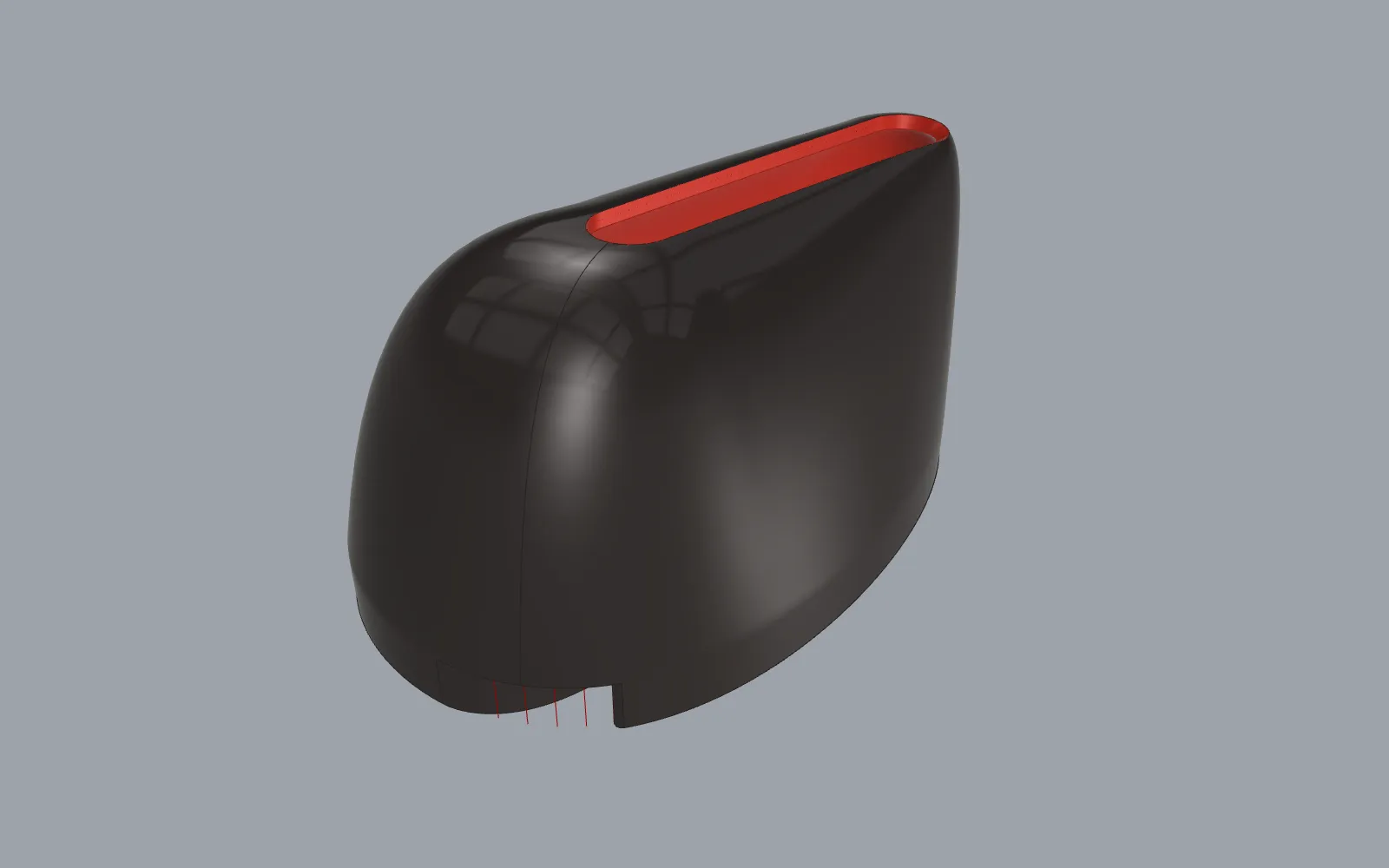
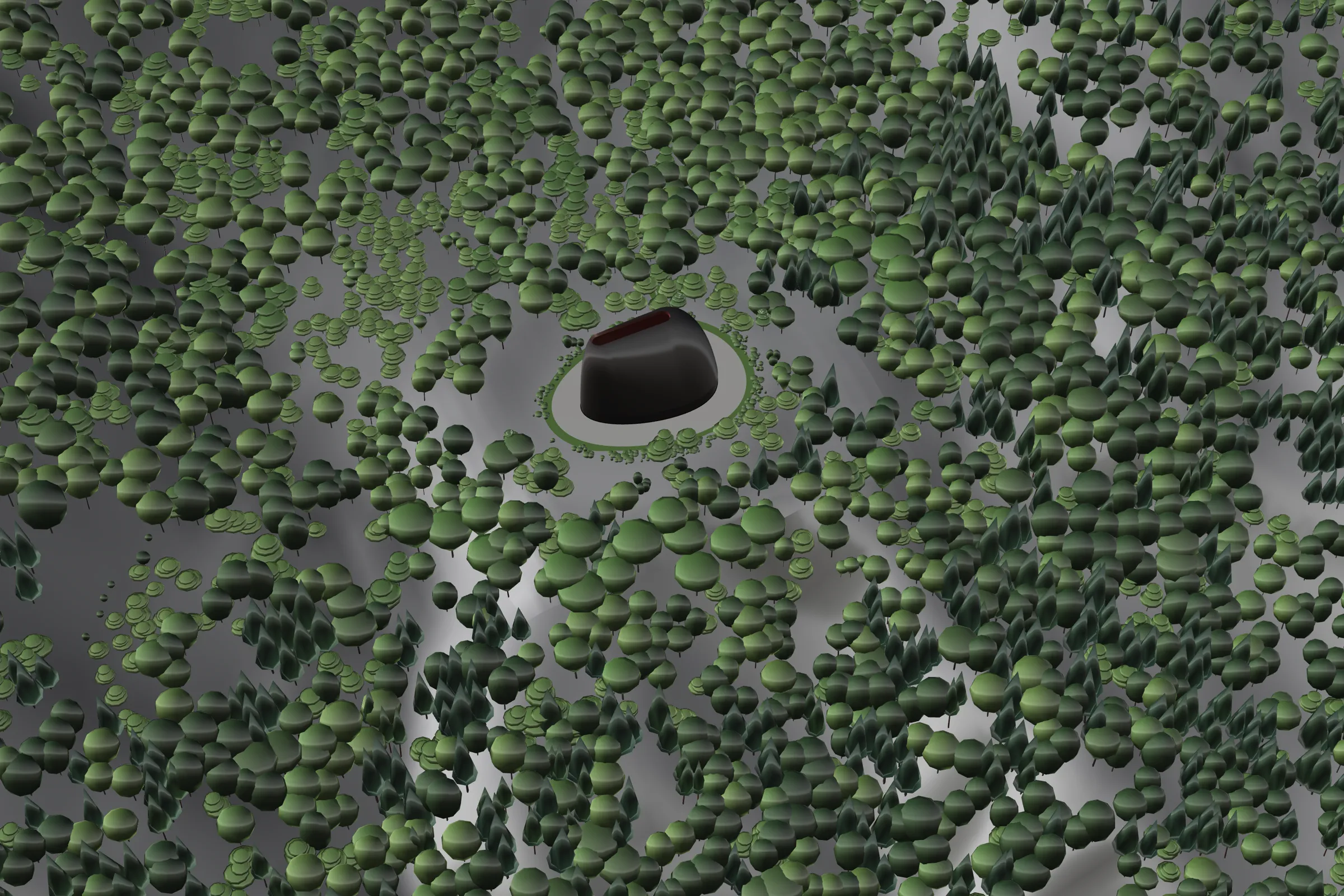
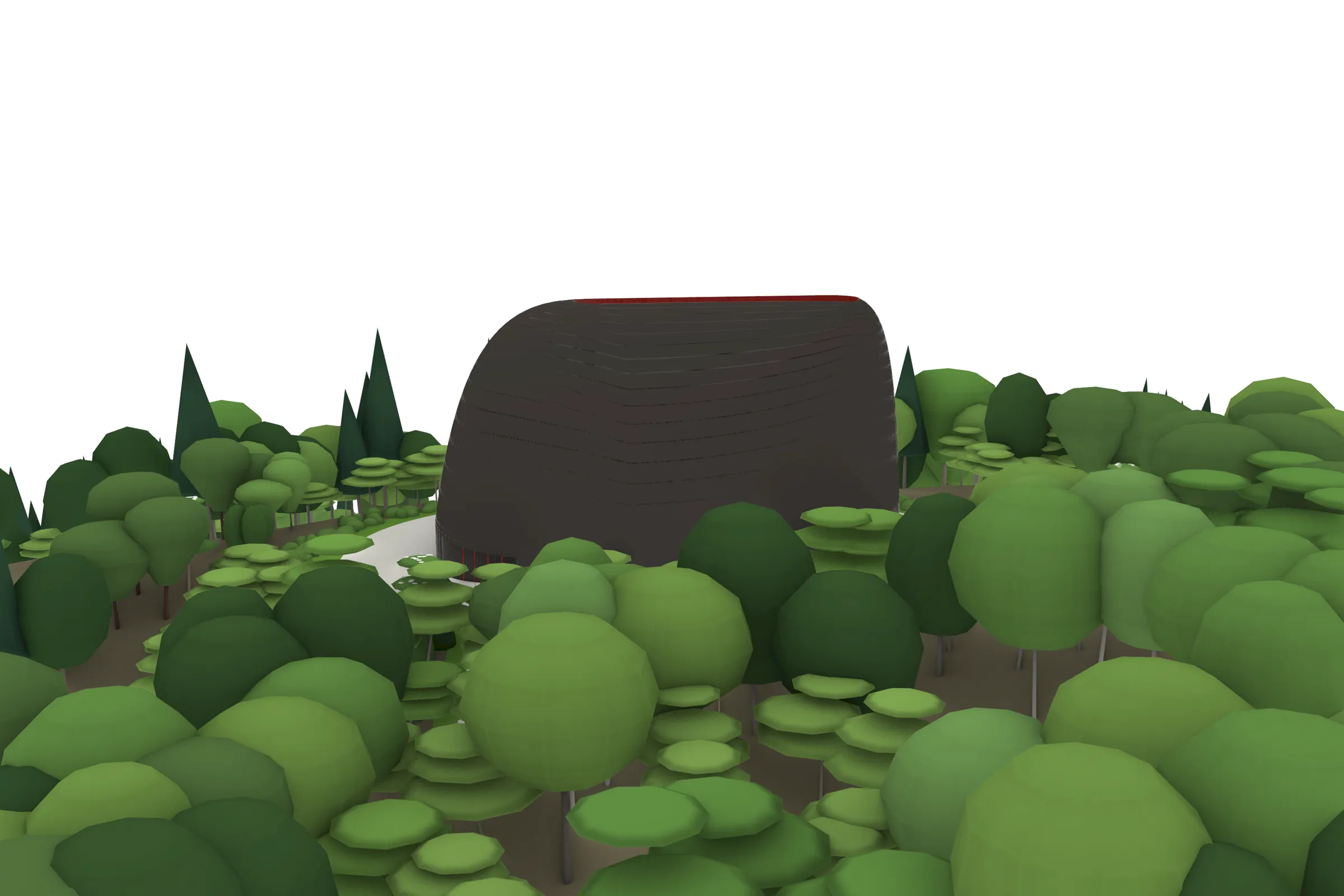
AI renders can change geometry: compare with the model view. Composition guided by the model view. Use the comparison below.
Compare with the model view
More views of the Ember Monolith
Ember Monolith · Renders
AI-generatedRhino → GPT Image 2.6
Ask your AI assistant
Render a Rhino aerial of the dark shell in a June forest with GPT Image 2.6, fog filling the valley behind.
Show the full prompt
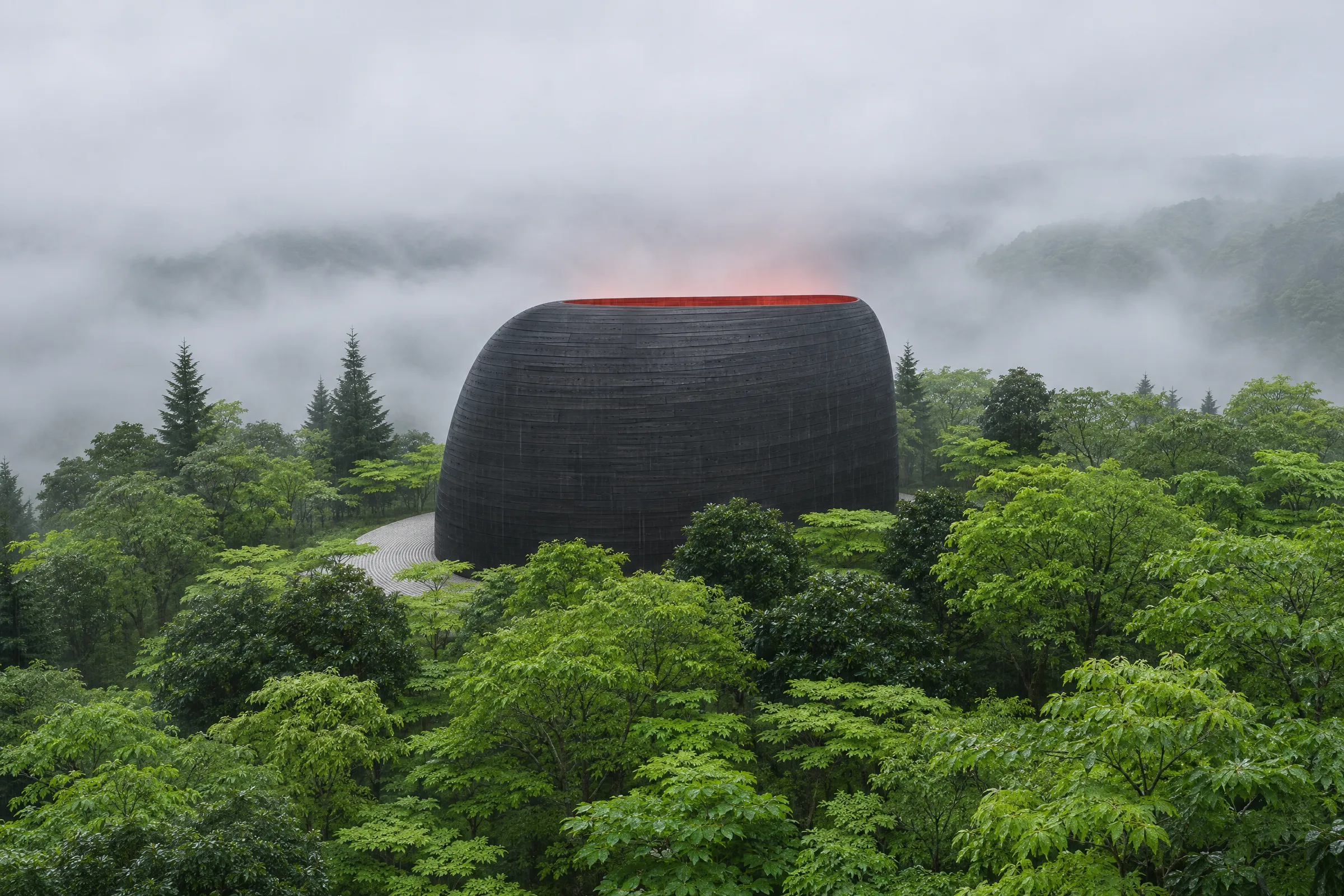
Using the Archi Automate MCP, take the flat-colour Rhino capture of the view [side aerial] as the input image, with its species map and five species reference images attached, and render it with render_view on [GPT Image 2.6 Sunburst] at [2400 × 1600], quality high, with this image prompt: The attached image is a flat-colour render of an architectural 3D model. Turn it into a real photograph WITHOUT changing any geometry. Keep the camera, the framing, the lens and every outline exactly as in the image: every silhouette, opening, floor line, wall edge and the statue stay at the same pixel position and the same size. Do not add, remove, widen, narrow, move or straighten anything. Do not add steps, plinths, bars, beams, ribs, frames, lamps, people or objects that are not in the image. Only replace the flat colours with real materials and light. Two-point perspective, vertical lines stay vertical. Reference images. Image 1 is the view to turn into a photograph. Image 2 is a species map of exactly the same view: flat colours that say which tree stands where. Images 3 to 7 show what the trees look like: image 3 palmate maple, image 4 wild mountain cherry, image 5 konara oak, image 6 the ground layer (moss, ferns, azalea mounds), image 7 dark evergreen oak (dark, dense, glossy evergreen crowns). Use images 2 to 7 only to choose each tree's species and leaf; keep the framing, positions and sizes of image 1, and never draw the species map's flat colours. Scene: a low aerial view over the canopy, looking across a steep forested mountainside at the long side of an invented temple building in a clearing. Behind the building the ground falls away into a deep open valley. Building: a smooth, softly domed shell, one dark monolithic form like a single dark stone set in a raked dry-garden field. It is clad in black charred timber (yakisugi) in narrow HORIZONTAL boards, brand new and clean, with no windows. Along its top runs a long open slot (the thin red line on top); the warm red timber interior shows faintly inside it, and a soft red glow rises from the slot into the mist above it. The pale curve at the left of its base is the ring of pale raked pebbles, raked in fine concentric ripple lines that follow the base outline, as around a stone in a dry garden. Forest (read each tree's species from its colour in image 2): a temperate broadleaf mountain forest in full fresh green summer leaf, two-tone: light translucent deciduous greens against dark glossy evergreen oak and dark fir. The rounded mid-green crowns are konara oaks like image 5 and hornbeams; the flat tiered light green crowns are palmate maples like image 3 and tiered giant dogwoods; darker bronze-green vase crowns are wild mountain cherries like image 4, in leaf, no blossom; the darkest dense domes are evergreen oaks like image 7; the narrow dark cones on the left and right flanks are dark firs. The canopy surface is textured, layered and irregular, with uneven heights and no rows. All trees stay LOWER than the building; its whole dome rises above the canopy. Keep every tree crown where it is in the image, at its size. Weather: early-summer rainy season. A soft white fog lies low in the forest and fills the valley behind the building, hiding the trunks and the lower canopy, so the black shell emerges above the fog like a stone above water. The far side of the valley fades into mist and low cloud. Overcast, calm, cool light. The forest stays fresh green through the fog. Avoid: pines, spruce, birch, larch, a Nordic or alpine conifer forest, autumn colours, cherry blossom, bare branches, snow; evenly spaced or identical ball-shaped trees, monoculture rows; vertical boards; a dirty or weathered facade; bars or beams across the slot; a kerb around the pebbles; roads, power lines, other buildings.
An invented temple on a real hill ledge in Shikoku, Japan, a dark stone in raked pebbles framed by forest: five views, outside and in the hall, rendered by GPT Image 2.6 from flat-colour Rhino captures. AI-generated; the trees do not follow the species map everywhere.
- Engine
- OpenAI GPT Image 2.6 Sunburst
- Input
- Rhino
- Time
- 48 s
- Cost
- $0.137 (metered)
- Date
- 2026-11-21
- Tools
- Rhino → rhino_run_write_task → rhino_run_readonly_csharp_probe → render_raw_call → render_view
- MCP calls
- render_raw_call → rhino_run_write_task → render_view
Method notes
AI-generated visualisation. Not a photograph. Not a real building. GPT Image 2.6 Sunburst (OpenAI) rendered these five views through Archi Automate’s render_view, each from a flat-colour capture of a Rhino 8 model. The site is real: a hill ledge at about 690 m in Shikoku, Japan, chosen from open data. The building is invented: one dark shell in a ring of raked pebbles, like a rock in a zen garden, framed by forest, with a red timber hall inside.
How it was made. AI agents built the model in Rhino 8 through the Archi Automate MCP (rhino_run_write_task and rhino_run_readonly_csharp_probe): the shell, a 600 m square of terrain from the elevation tiles of Japan’s Geospatial Information Authority (GSI), a forest of simple placeholder shapes for each species, placed from a planting specification an agent wrote, the hall floor and its incense stones, and grey cones standing in for people. The seated statue in the hall is our own invented figure: two images made with Google Nano Banana 2.1 were turned into a 3D model by Hyper3D Rodin Gen-2 on fal (through render_raw_call), then scaled to 7.5 m and placed in Rhino. A write task captured each view as a flat-colour image of 3000 × 2000 px, with a species map (flat colours that say which plant stands where) for each outside view and a depth map for each hall view. Each image is one render at 2400 × 1600 px, quality high, through Archi Automate 27.40; GPT Image 2.6 takes no seed. With each outside view the image model also got five species reference images, which we made with GPT Image 2.6. There is one render per view, shown as the model returned it, with no grading or retouching; the page images are re-encoded for the web. The five renders cost about $0.60 (metered) and took 36 to 48 s each. Each is a restyled view, composition guided by its capture, not a record of the model.
Done outside Archi Automate. The terrain mesh was made from the GSI tiles by a script outside the product. A script outside the product also compared each render’s outlines with its capture, and each image was then checked by eye for the people and the planting.
Added by the render, not in the captures: the sky, the fog and the mountains across the valley; the charred texture of the boards and the grain of the red timber; the raked ripple lines in the pebble ring; real leaves, bark and tree forms (the model has flat discs, tiers and cones for the crowns), moss, ferns and wet stones; the red glow above the slot; the gold surface of the statue, redrawn by the image model over its 3D form; the beam of light, the haze and the incense smoke in the hall; and the people, which the image model made from the grey placeholder cones, at their places and sizes. They are generated figures, not real people.
What it gets wrong. From above, the dark evergreen domes are fewer and less distinct than the species map asks, and the maples’ layered crowns do not read; faint pale vertical streaks run down the boards, although the prompt asked for clean new timber. On the approach, misty trees at the top right rise above the corner of the shell, although the prompt asked for trees lower than the building; the bushes by the path carry white flower panicles, a spring sight in an early-summer scene; and the real maple crowns are smaller and more open than the placeholder discs, so more of the shell shows than in the capture. At the corridor mouth, the cherries do not stand out from the other broadleaf trees. Out of the corridor, the near edge of the dark curling wall on the left sits a little further left than in the capture, and the visitor beside the statue stands slightly left of the placeholder. In the hall, the statue has a small mark on its forehead, although the prompt asked for none; it is published as rendered.
The model views of the other four images, in the order shown above, as they were sent to the image model:
Compare each image with its capture before relying on a detail.
Terrain: 出典:国土地理院ウェブサイト(地理院タイル(標高タイル)). The terrain was made by processing these tiles (地理院タイル(標高タイル)を加工して作成); the renders are ours, not GSI’s.