How the graphics were made
Ember Monolith · Presentation graphics in Blender
From the modelStructure data → Blender
Ask your AI assistant
Build a scene of the shell and its timber frame in Blender, then render it in Cycles with no image model.
Show the full prompt
Using the Archi Automate MCP, check that the Blender session is up, then build a presentation scene of [the Ember Monolith and its timber frame] in Blender from [the frozen wall data and the frame's members with their true sections and roll]. Read the wall from the open Rhino document read-only, without saving or adding anything, and check the wall you built against it at [136] points. Render with Cycles at [3000 × 2000, 1024 samples]: [the shell cut at two thirds of its height, black outside and red inside, with the glulam frame inside the wall, on a light ground]. Use no image model and do not retouch.
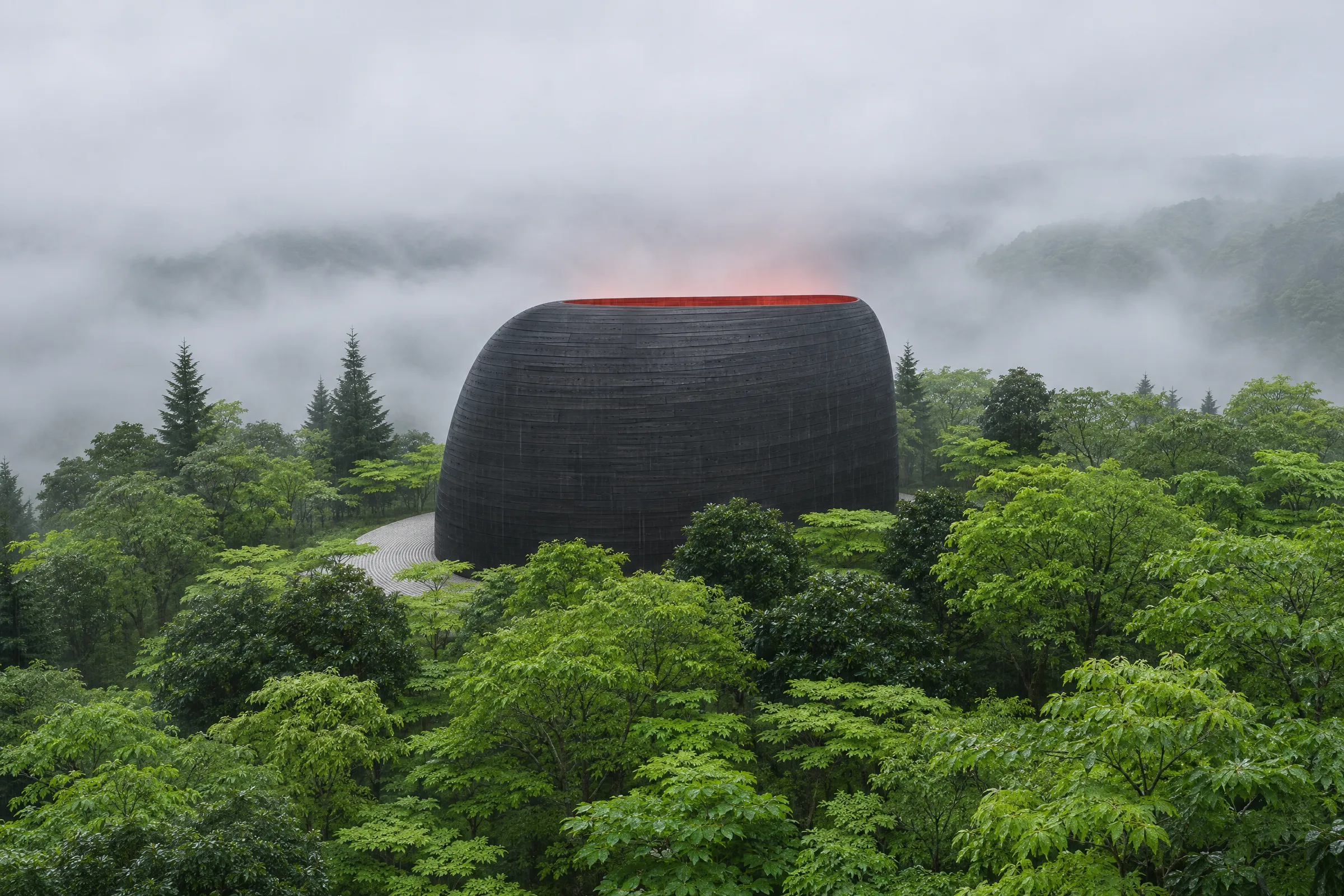
The timber frame and cut shell of an invented temple in Blender: AI agents built the scenes via the Archi Automate MCP from the structure data and rendered them in Cycles, no image model, no retouching. Preliminary: the frame shown, F1, failed a fit check at the curl root; F2 is being prepared.
- Engine
- Claude (scene building and scripts). Rendered with Blender Cycles. No image or video model.
- Input
- Blender
- Time
- 26.1 s (hero, Cycles)
- Date
- 2026-11-22
- Tools
- Blender → Rhino → blender_ping → blender_run_write_task → blender_run_readonly_python_probe → rhino_list_sessions → rhino_run_readonly_csharp_probe → rhino_export_scene
- MCP calls
- blender_ping → blender_run_write_task → rhino_list_sessions → rhino_run_readonly_csharp_probe → rhino_export_scene → blender_run_readonly_python_probe
Method notes
Archi Automate output, unretouched. Rendered in Blender Cycles; no image model. Preliminary study with PyNite and our own solver; not an engineering design. The main image cuts the dark shell of the Ember Monolith, an invented temple, at about two thirds of its height, red inside, to show the timber frame inside the 0.8 m wall.
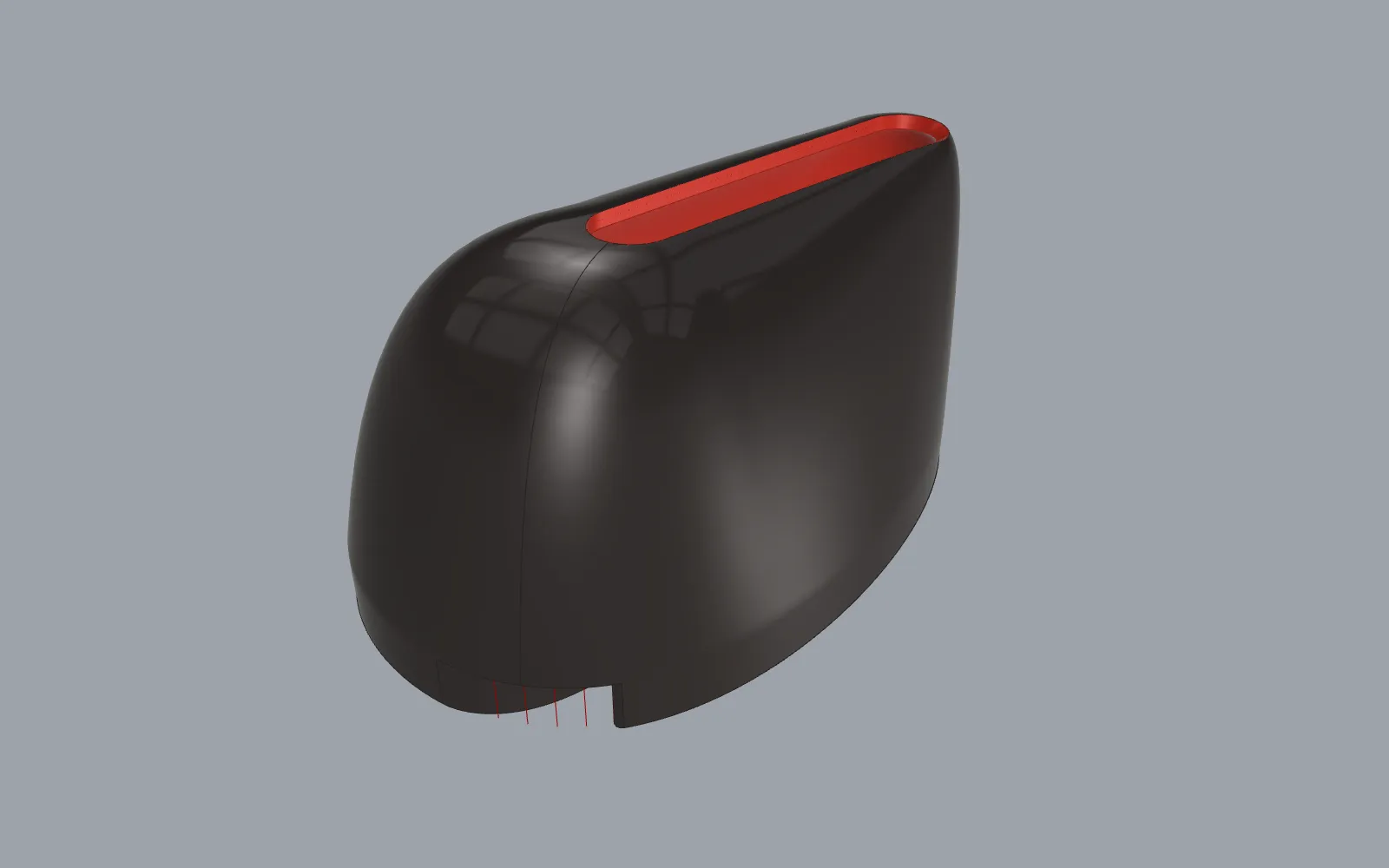
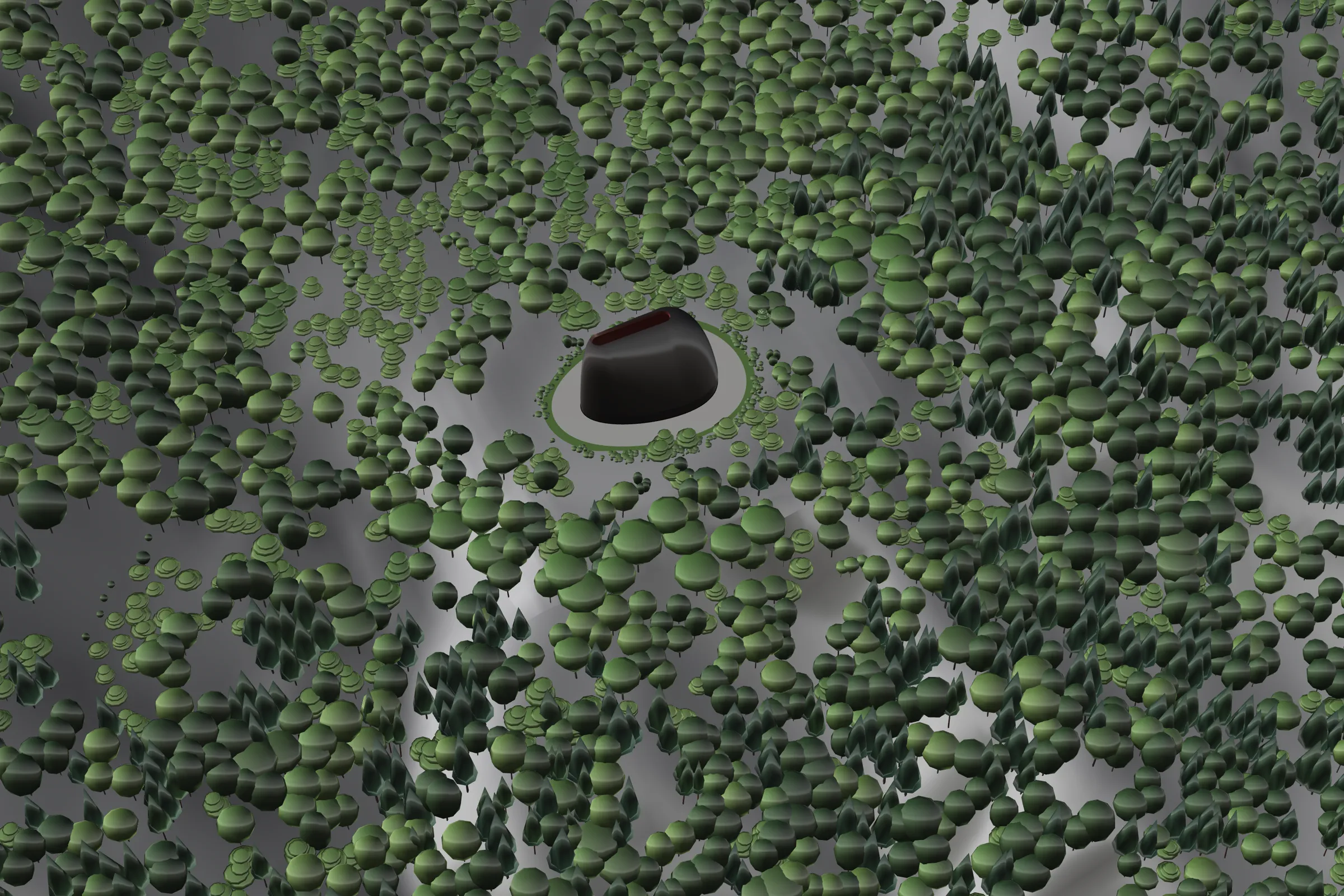
How it was made. An AI agent drove Blender 5.1 through the Archi Automate MCP: blender_ping to find the session, then blender_run_write_task to test the pipeline, import the geometry, build the scenes, set the materials, light and camera, render in Cycles and take the screen captures above. The hero took 26.1 s at 3000 × 2000 px and 1024 samples. The same agent read the wall in the open Rhino model with rhino_run_readonly_csharp_probe. Rhino stayed read-only: its object count was the same before and after, and the document was never saved.
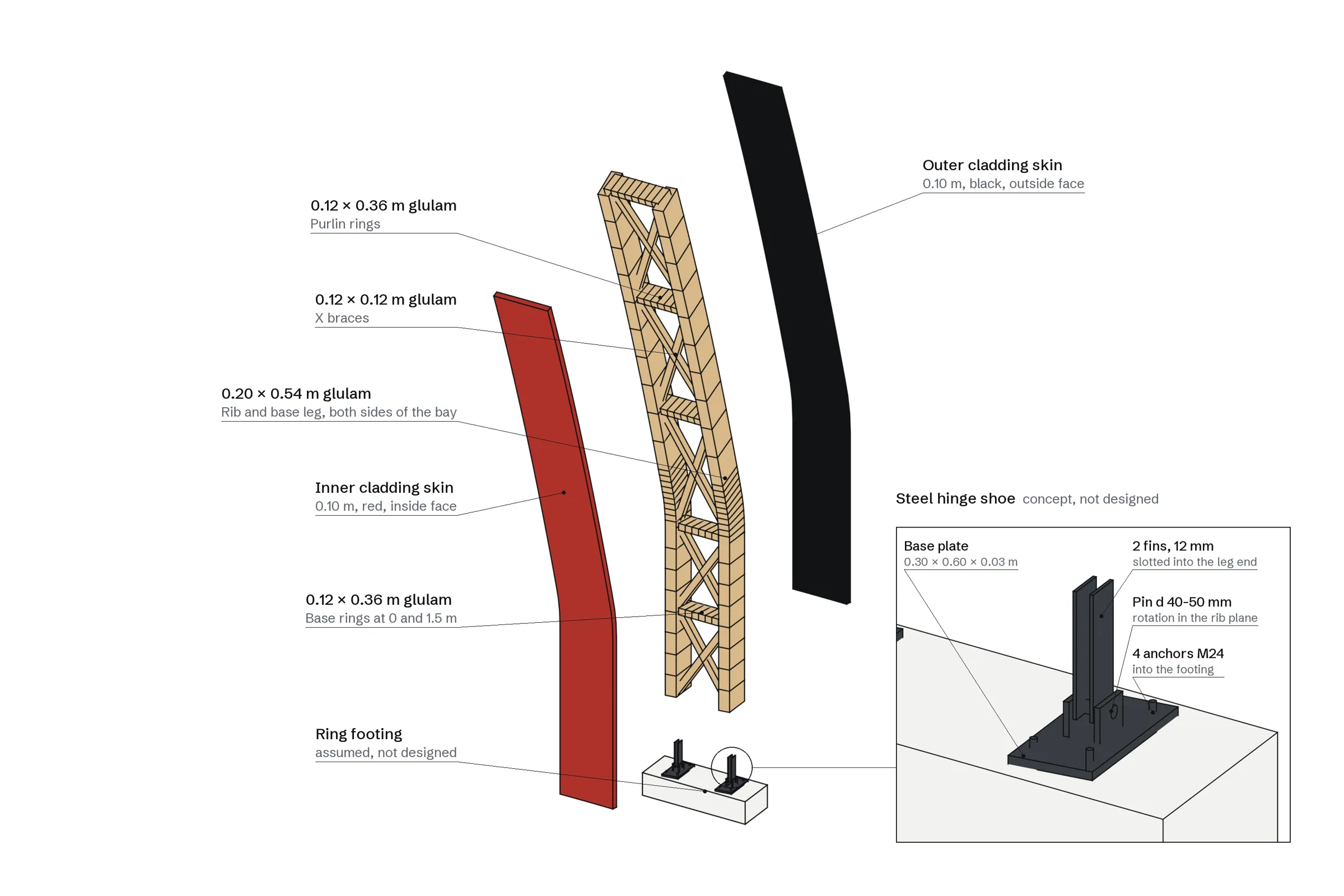
The wall. The shell in Blender was rebuilt from the frozen wall data used by the structure work, then checked against the Rhino solid at 136 points: within 0.16 mm at the wall profiles, up to 3.2 mm between them, and 17 to 26 mm at the free end of the curl. One point at the foot of the curl read far off, an artefact of the closest-point search at the bottom edge: a point above it lies on the solid. The two cladding skins in the renders are offsets of the wall faces made for these images; the Rhino wall is one solid.
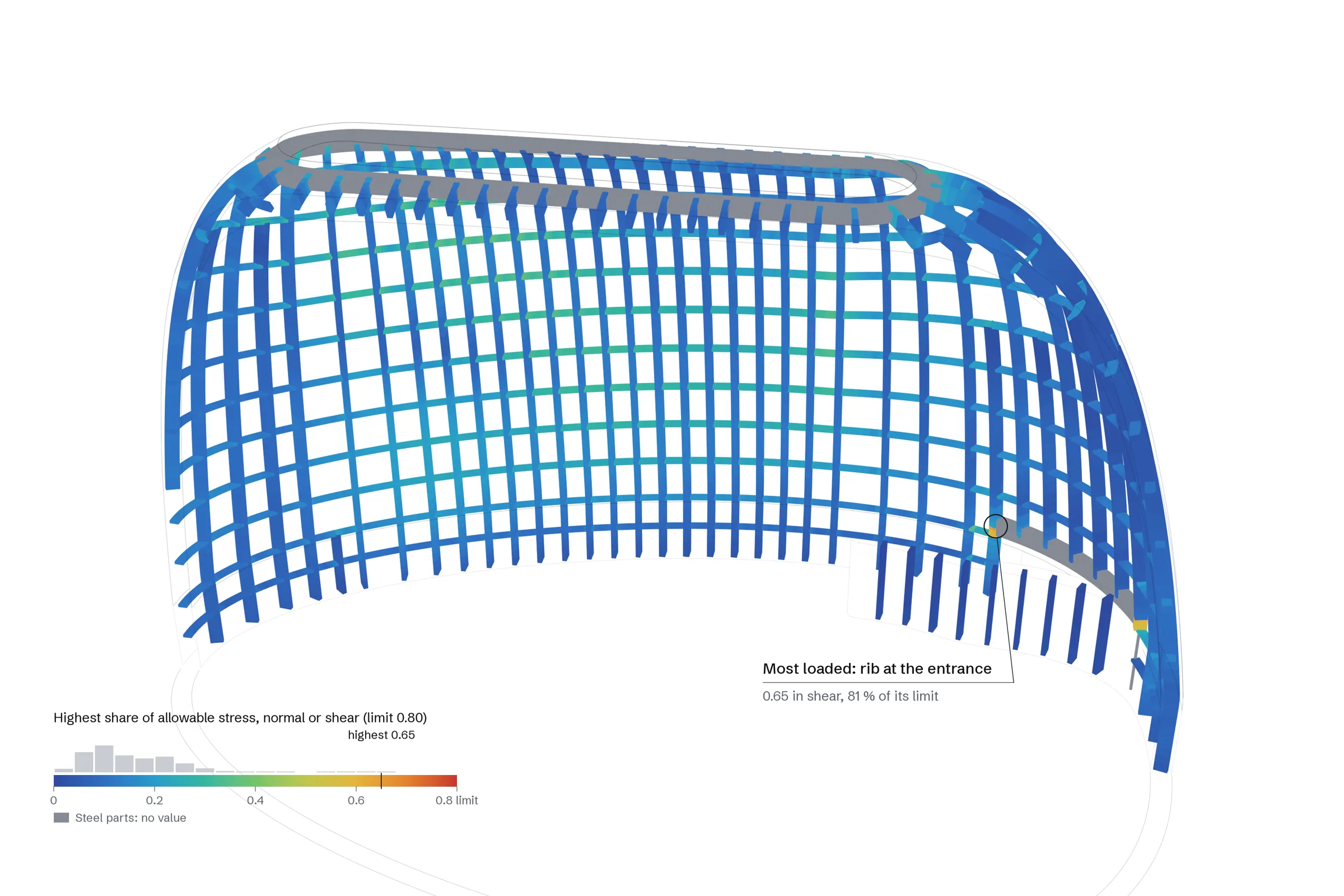
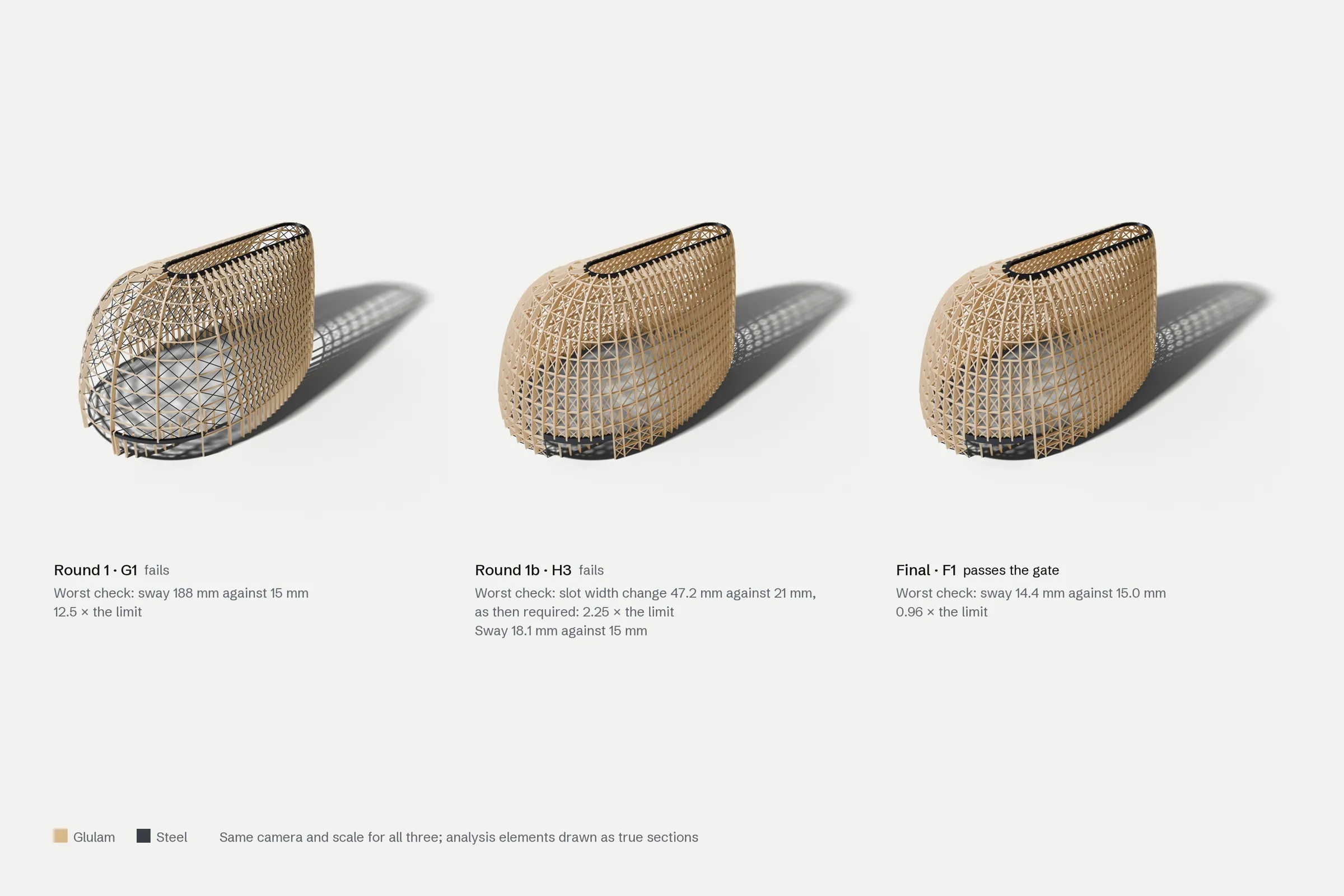
The frame. The members are drawn with their sections and roll taken from the structure data. This is the frame F1: F1 passes the stress and movement checks; the fit at the curl root failed the solid check, so F2 is being prepared.
Done outside Archi Automate. Python scripts prepared the geometry and the results and wrote them to files that Blender imported with its own importers. On the result graphics of the structural check page, the labels and legends are drawn over the render by Python; no render pixel is edited.