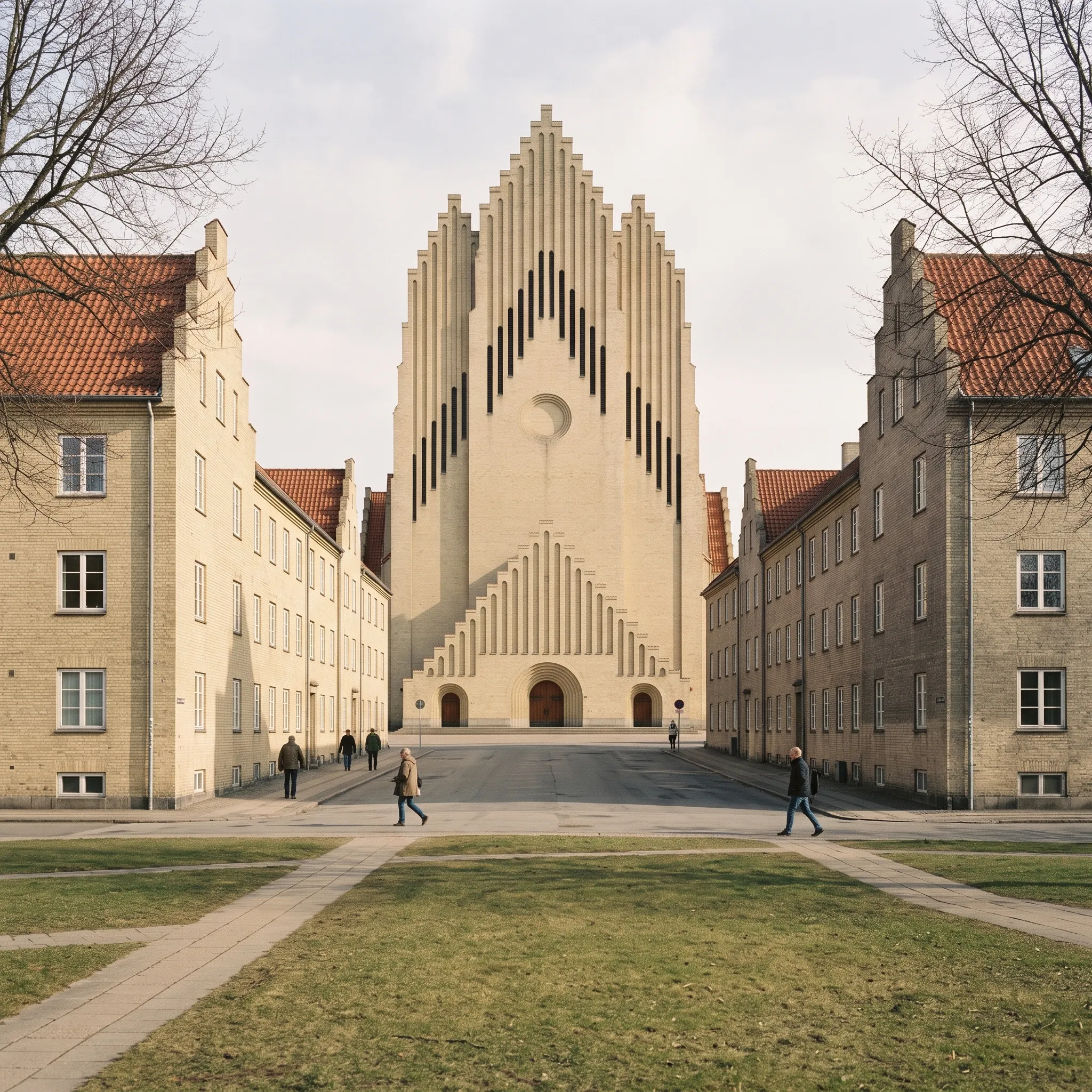
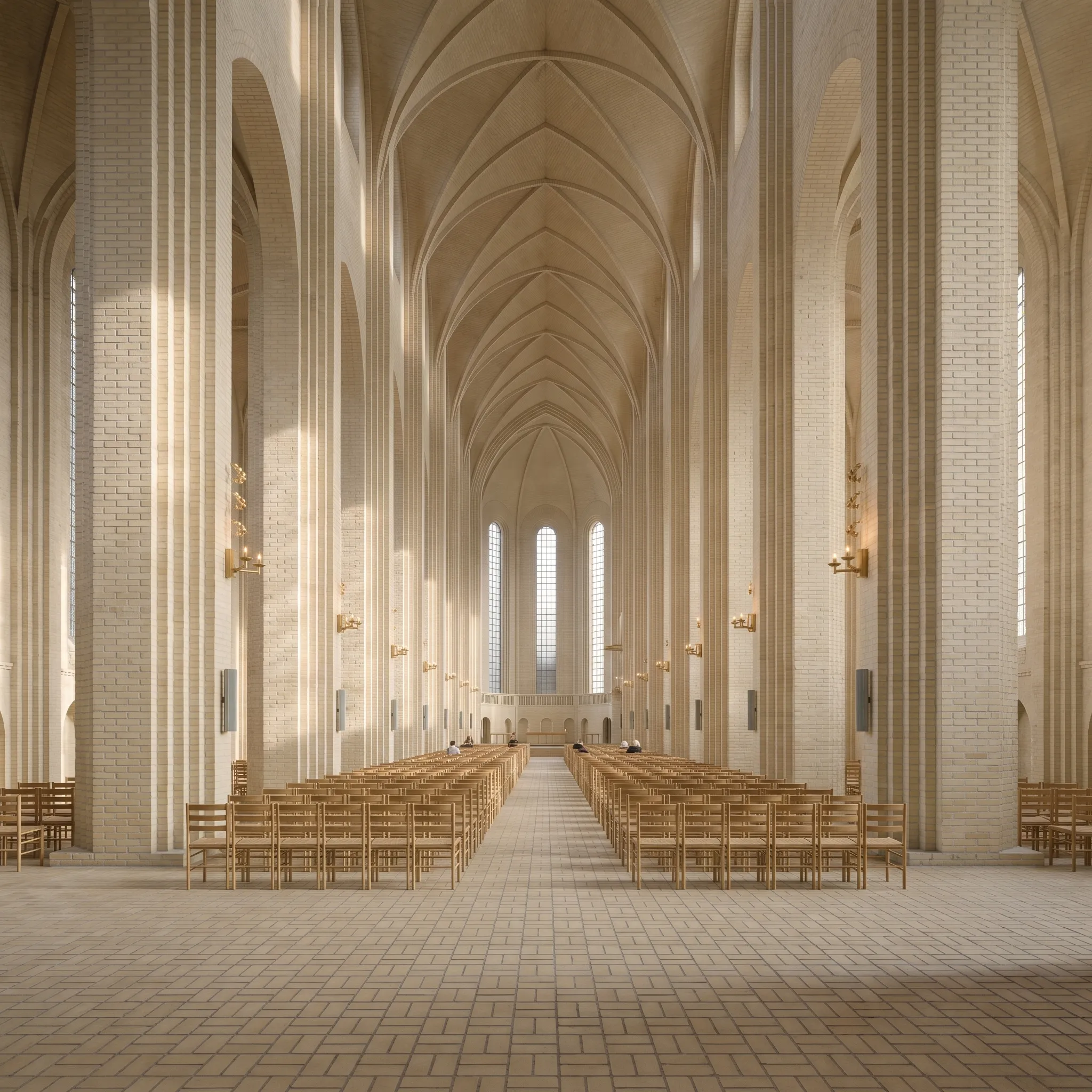
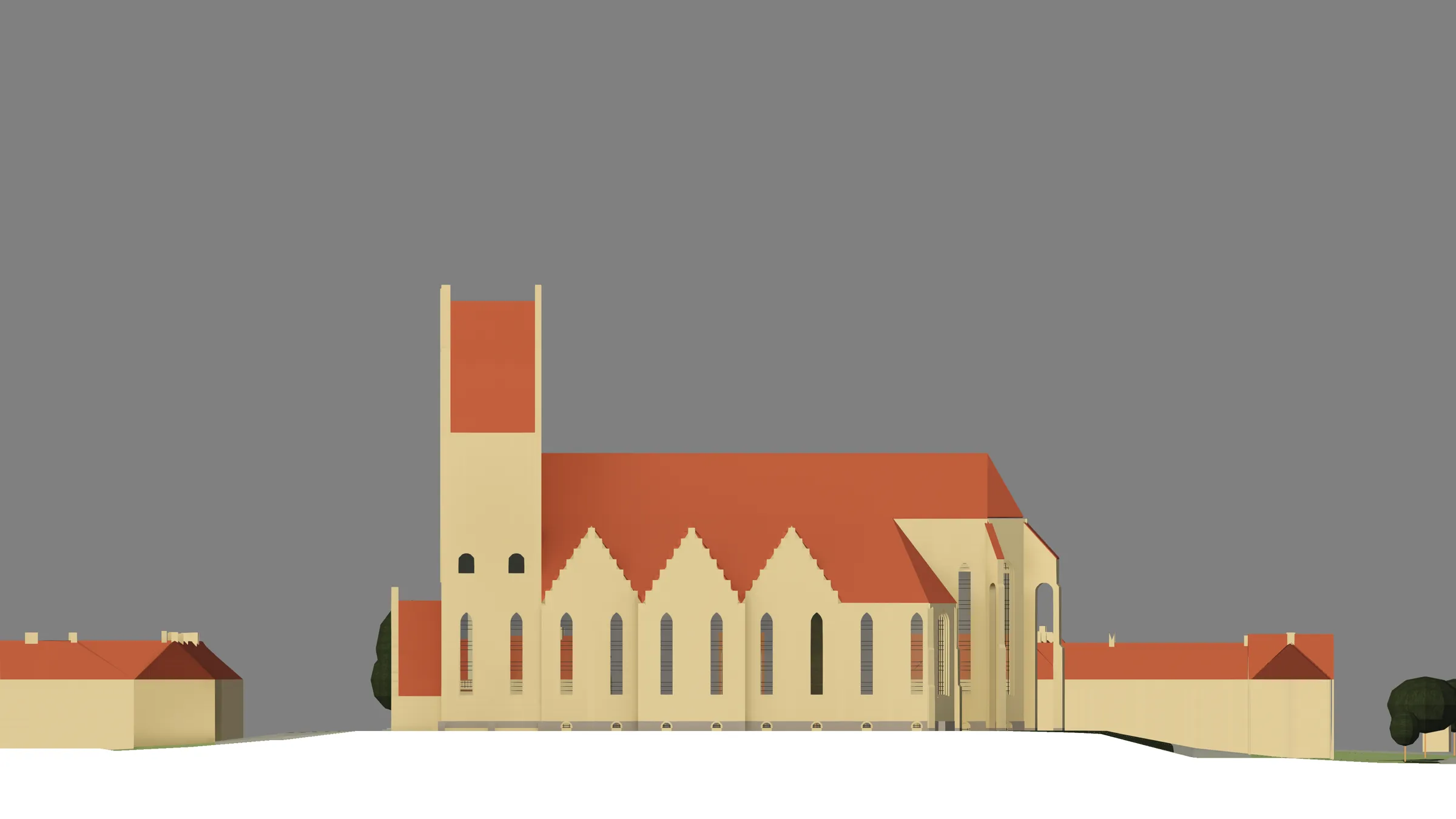
AI renders can change geometry: compare with the model view. Composition guided by the model view. Use the comparison below.
Compare with the model view
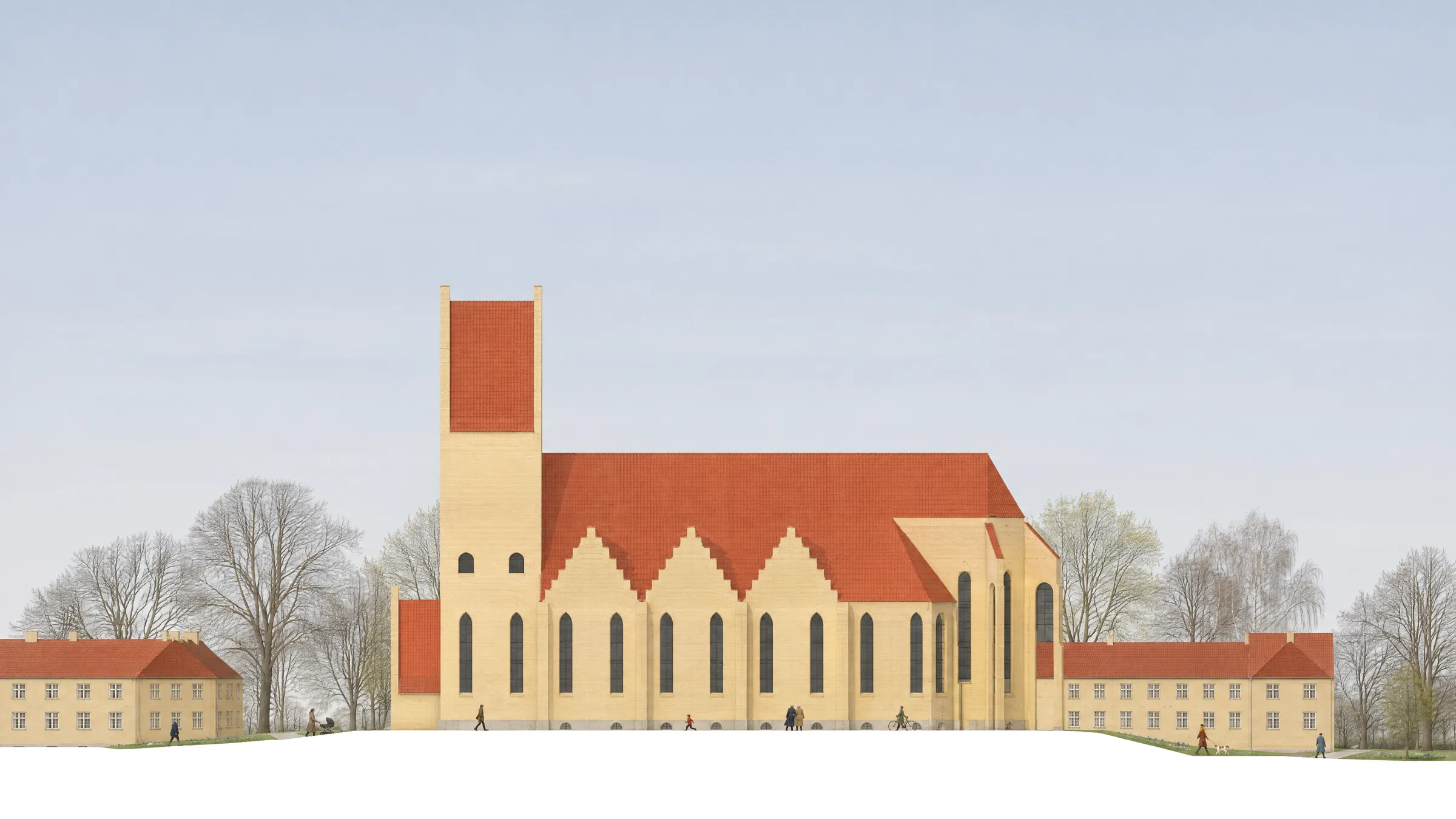
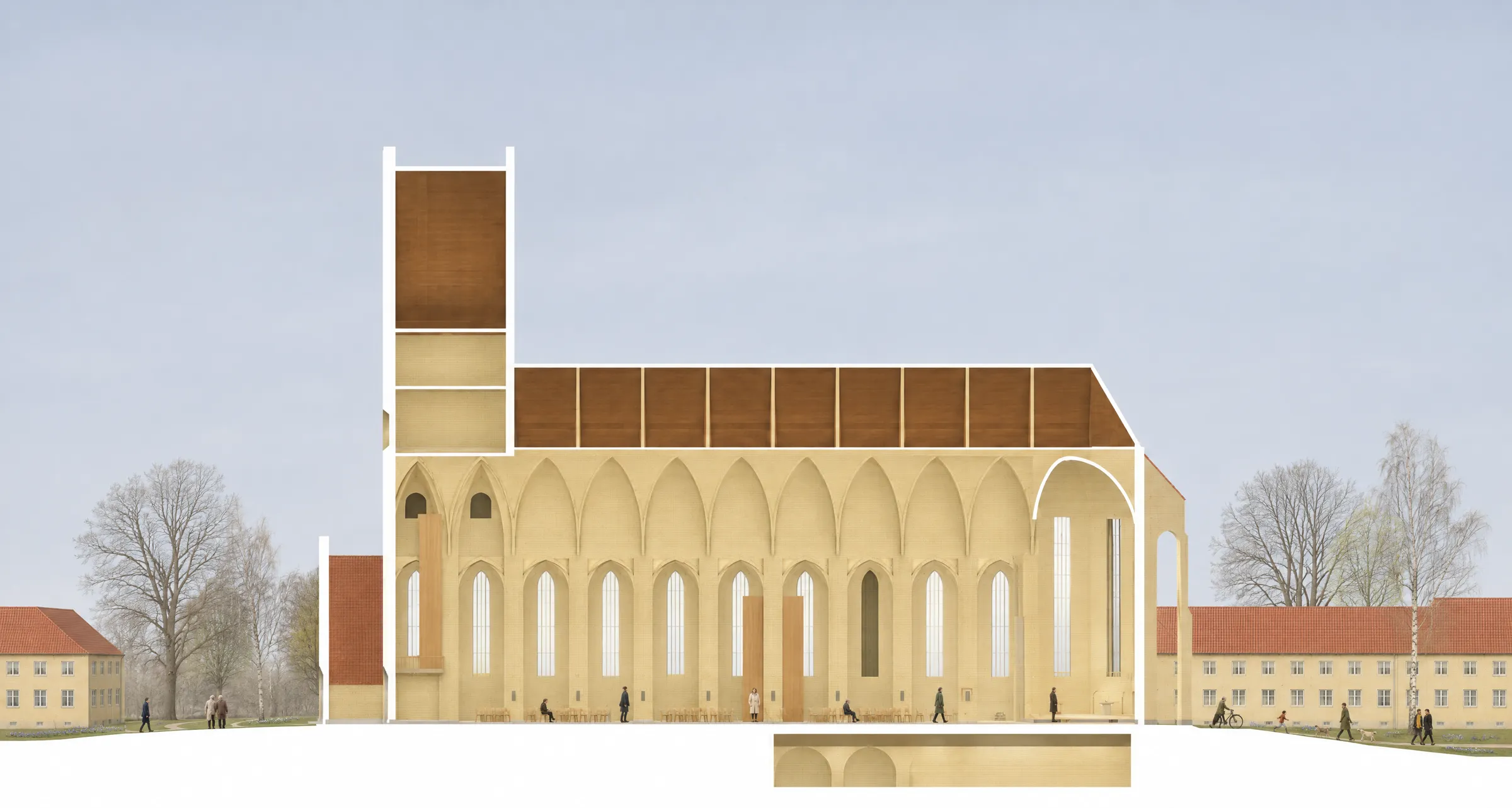
Grundtvig's Church, Rendered Elevations
AI-generatedRevit → GPT Image 2.6
Ask your AI assistant
Render the Revit south elevation of the church with GPT Image 2.6 as a quiet, printed presentation plate.
Show the full prompt
Using the Archi Automate MCP, take the Revit view [GK DWG - E2 South elevation] as the reference image and render it with render_view on [GPT Image 2.6 Sunburst], with this image prompt: Architectural elevation of Grundtvig's Church in Copenhagen: [the long south side, seen square-on], made as a printed presentation plate. The view is flat, orthographic and square-on, with no perspective. Photographic materials, people and trees are set into a clean architectural drawing. The character is a quiet collage printed on matte, uncoated paper: real textures and real light, but calm, muted and orderly, with crisp, clean edges between the parts. It should feel like a carefully composed architect's sheet, not a snapshot and not a painting. Reading the input. The input is a plain model export. The flat, even mid-grey that fills the whole top of the picture and every gap around and between the buildings is not a wall, not a backdrop and not a material: it is empty sky, still to be painted, and it becomes the sky described below. Where the same flat grey shows inside a window, it is that sky seen through clear glass. The pure white below the ground profile, along the bottom of the picture, is the cut ground: it stays white. Sky. The sky fills all of the flat grey area above the ground and the buildings. It is a high, thin, even haze on an early-spring afternoon, soft and overcast. At the top of the frame it is a pale, cool grey-blue, about #C8D1DC. It lightens smoothly towards the horizon to a very pale, faintly warm grey, about #E9EBEC, but never reaches white. Only the faintest long, soft, horizontal veils of thin cloud show, barely visible, with no hard edges and no shapes to read. There is no sun disc. The sky is the quiet ground of the picture. Keep the frame exactly as in the input, with all of its sky: do not crop, zoom or reframe. The sky is the whole top of the picture: the tower top sits about 35% down from the top edge, the long roof ridge about 55% down, and above the low neighbouring blocks at the ends about three quarters of the height is sky; the white ground takes the bottom 11%. White ground. This matters most. Below the ground profile the picture is pure white paper, #FFFFFF, exactly as white as the margin of the sheet: completely flat and untextured, with a crisp, hard upper edge that follows the input's ground profile exactly. No grass, soil, roots, shading, shadow, outline, gradient, cream or grey tint below that line, and no shadow from people or trees falls onto it. This white is the brightest thing in the picture: nothing else, not the sky and not the brick, reaches it. There is no strip of lawn, path or paving below the base of the church: the granite plinth stands directly on the white ground, and the white begins exactly where the plinth ends in the input. Beside the church the lawn is only a thin grey-green edge lying on top of the ground line, never a band below it. Every person's feet, every path and every tree trunk stand exactly on the input's ground line, never below it. Register the ground line to the pixel: the bottom edge of the plinth, the steps, the lawn and every foot lies exactly on the input's ground line, not even a few pixels lower. Do not extend the plinth, steps or lawn down into the white, and put no soft contact shadow or fade under them: the step from building or lawn to white is one hard pixel edge, exactly where it is in the input. Building. [The long south side of the church. The tall tower with its stepped top stands at the left end, with a low porch block in front of it. The long, steep red tile roof runs right to the polygonal chancel. Three stepped double-bay side gables rise along the side, with brick buttresses between tall, narrow pointed windows. A low granite plinth with small basement windows runs along the base.] Materials. The brick is pale sand-yellow Danish brick: a soft, warm, light yellow, like pale sand or straw, matte, in fine regular courses with light mortar joints. The brick colour in the input is right: keep it pale sand-yellow everywhere, on the church and on the neighbours, at most a touch lighter. The brick is not olive, not green, not orange, not red, not white and not rendered. The roofs are red clay tile, muted and matte. The doors are oiled oak, a warm mid-brown. The plinth and steps are grey granite. Windows. Every window opening is glazing, all of it the same: deep, dark leaded glass that reads dark grey, matte, never reflective and never transparent, so nothing behind it shows. The thin lines across the windows in the input are the leading and the mullions: keep every one of them, and every window opening, exactly where it is in the input. The red panels, the flat grey and the pale shapes seen inside the windows of the input are the neighbours' red roofs, the sky and trees seen through clear glass: replace all of them with the same plain dark glass. No red, orange or golden panel in any window; no lights, no chandeliers and no organ pipes in the windows. Light. A soft afternoon sun comes through the haze from the south-west, from the front left, low and raking. Each buttress, gable step and window reveal throws a soft, short shadow to the right. The brick is warm in the light and slightly cooler in the shade, but never dark. Season and trees. It is early spring in Copenhagen, about mid-March. Bare deciduous trees, limes and birches, stand at both ends of the church and behind it, never in front of the façade. They are finely branched, with open crowns that let the sky and the brick read through, 10 to 18 m tall, in muted grey-brown and silver, and a few carry a faint haze of first green. A fresh grey-green lawn runs along the ground line, crossed by plain pale paved paths. A few small blue and white spring flowers grow in the grass near the paths, sparse, not a carpet. Surroundings. The neighbouring buildings are three-storey pale yellow brick housing with red clay tile roofs, modelled in the input with their real roofs. Keep every outline exactly, including the roofs and gables, and change only the surface: simple, regular rows of windows, matte brick and muted tile. Every mass in the input stays where it is; none is replaced by trees, lawn or sky. The long, low block that runs from the church to the right edge is a long terrace of the same housing, with regular rows of windows along its whole length. Nothing else changes. They are a little paler and lower in contrast than the church, quieter than it. People. Six to ten people walk calmly along the ground line, beside the church and at both ends. They are TINY, as in a 1:500 drawing, and they must be measured against the parts next to them: an adult is about twice the height of one of the small basement windows in the granite plinth, only a little taller than the plinth itself, and reaches less than half way up to the sills of the tall church windows. Beside the neighbouring housing an adult is barely more than half the height of one storey, well below the sill of the first-floor windows. That is about 42 pixels in this 2160-pixel-high image. Children are smaller still. Draw them smaller than feels natural rather than larger: in every earlier attempt the people came out one and a half to three times too tall. They are spread across both ends and along the church in ones, twos and threes, seen in profile or from behind. Among them are a child running, an older couple arm in arm, someone pushing a bicycle, someone with a pram and someone with a dog. They wear muted spring coats in navy, oatmeal, slate, moss and rust, with one ochre scarf. Each person is different. The people and trees are photographic and cleanly set into the drawing, with no outlines or halos. Overall. Calm, light and orderly. The colour comes from the warm pale-yellow brick and the red tile against a cool, pale sky and the white ground. Treat the input image as the exact geometry and frame. Keep every building element exactly where it is: the outline, the tower, every step of the gables, the buttresses, windows, mullions, doors and roof lines, and the ground profile. Keep the frame, the scale and the flat orthographic view exactly as in the input: do not crop, zoom, extend or shift anything. Do not add, remove, move, bend or resize any part of the building. Any placeholder tree shape becomes a bare, finely branched crown of at most the same size. The pale wedges and thin strips just above the white ground at the ends are the ground beyond, seen edge-on: render them as lawn, never as walls or paving. Change only how materials, light, sky, vegetation, people and atmosphere look. Do not add: any window, buttress, gable, pinnacle, cross, clock, dormer, chimney, door or tower opening on the church that is not in the input, and no door in the porch or the tower; chimneys or dormers on the neighbouring housing. Avoid: any text, letters, numbers, labels, title, scale bar, frame, border, watermark or logo; perspective, converging verticals, a camera viewpoint or receding distance; a grey wall, panel or backdrop behind the buildings; texture, grass, shading, shadow or an outline in the white ground; a cream or grey tint in the white; a white or near-white sky; a saturated blue sky; a sun disc, sunbeams or lens flare; dramatic, stormy or sunset clouds; full summer leaves, autumn colour or snow; olive, khaki, green, orange, red or white brick; black or blue building parts; red panels in windows; glossy or wet surfaces; HDR, halos, vignetting or depth-of-field blur; heavy grain; painterly brush strokes, sketch lines or watercolour; cartoon or outlined cut-out figures; crowds, repeated people, people posing or looking at the viewer; trees in front of the church; faceted or perfectly spherical tree crowns; cars, benches, street furniture, birds or leaves in the air; interior fittings seen through the windows; any building part that is not in the input.
The long south façade of Grundtvig's Church as a flat elevation plate, AI-generated by GPT Image 2.6 Sunburst from a Revit view with the cut ground in solid white. A script outside Archi Automate reset the white from a mask of that view; the people are about 1.6 times too tall.
- Engine
- OpenAI GPT Image 2.6 Sunburst
- Input
- Revit
- Time
- 70 s
- Cost
- $0.246 for one call with two candidates (metered estimate)
- Date
- 2026-11-14
- Tools
- Revit → render_view
- MCP calls
- render_view
Method notes
AI-generated visualisation. Not a photograph. GPT Image 2.6 Sunburst (OpenAI) rendered this elevation through Archi Automate’s render_view, from an elevation view of a Revit model: the long south side of the church, seen square-on, looking north. The model was built in Revit through the Archi Automate MCP by AI agents, from P. V. Jensen-Klint’s drawings in the Royal Danish Library, which the library marks free of copyright, with the terrain and the building footprints from Danish open data and the neighbouring buildings from the City of Copenhagen’s 3D city model.
The view was made in Revit as a flat elevation, with everything the view cuts, and the ground below the terrain line, filled solid white, and it was sent to the image model as it was. The prompt is the second one for this view: the first, plus two sentences asking for the ground line to be kept to the pixel. Six candidates came from three calls, and this one was chosen.
Done outside Archi Automate. The image above is not the raw output. Image models drift white towards cream, so afterwards a small script set every pixel under a mask of the white areas, exported from the same Revit view, back to pure white. That step is not part of Archi Automate. There is no labelled sheet yet; the image model draws no text.
Added by the render, not in the model view: the sky; the bare spring trees at both ends and behind the church, where the model has only a few placeholder trees; the lawn with its paths and spring flowers; the small people walking along the ground line, who are generated by the model and are not real people; and the rows of windows on the neighbouring housing, which the city model has as plain masses.
What it gets wrong: the people are drawn about 1.6 times too tall. The open arch at the far east end of the model view is drawn as a dark glazed window. At the right end the lawn edge sits a few pixels above the model’s ground line.
The West elevation will be added when its model view is fixed.
Grundtvig’s Church in Copenhagen was designed by P. V. Jensen-Klint and completed by Kaare Klint; both are in the public domain, and Danish copyright law (§ 24(3)) allows buildings to be depicted. This image is an independent study rendered from our own model; it is not endorsed by the church. Drawings: P. V. Jensen-Klint, Det Kgl. Bibliotek (public domain). Neighbouring buildings: Københavns Kommune, København 3D bymodel (data 2011, CC BY), opendata.dk. Site data: Klimadatastyrelsen, Danmarks Højdemodel (CC BY 4.0); © GeoDanmark (CC BY 4.0).