Made with Archi Automate · AI render
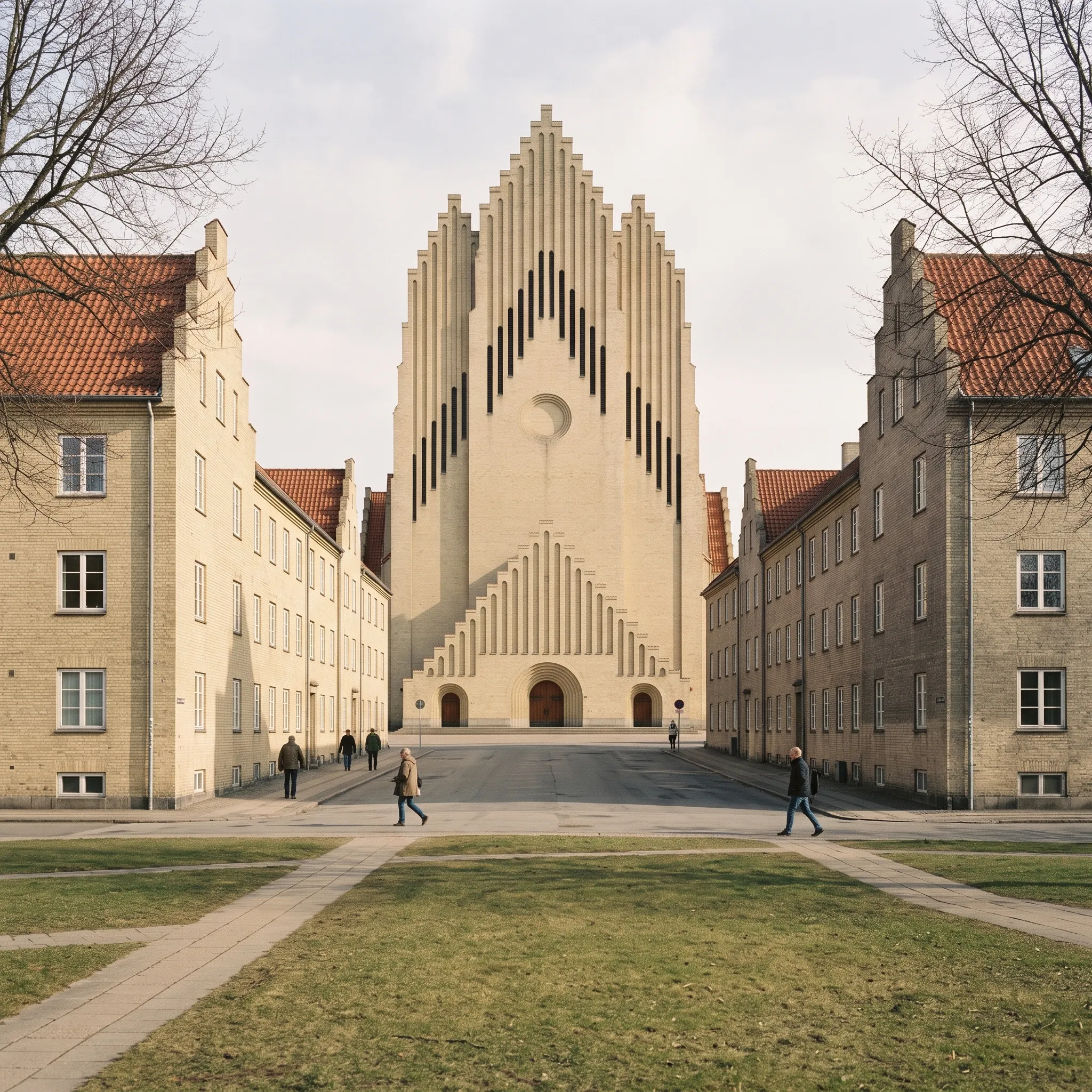
Grundtvig's Church, West Front
The stepped west front on the street axis between its yellow-brick housing on an early-spring afternoon, rendered from the Revit model by Nano Banana 2.1.
Archi did not design this building. We modelled it from the architect's public-domain drawings to show what the software does.
2048 × 2048 px. Open it full size to see it at 100%.
Not geometry-locked: compare with the model view. AI-generated imagery can change dimensions, openings and materials. Use the comparison below.
Compare with the model view
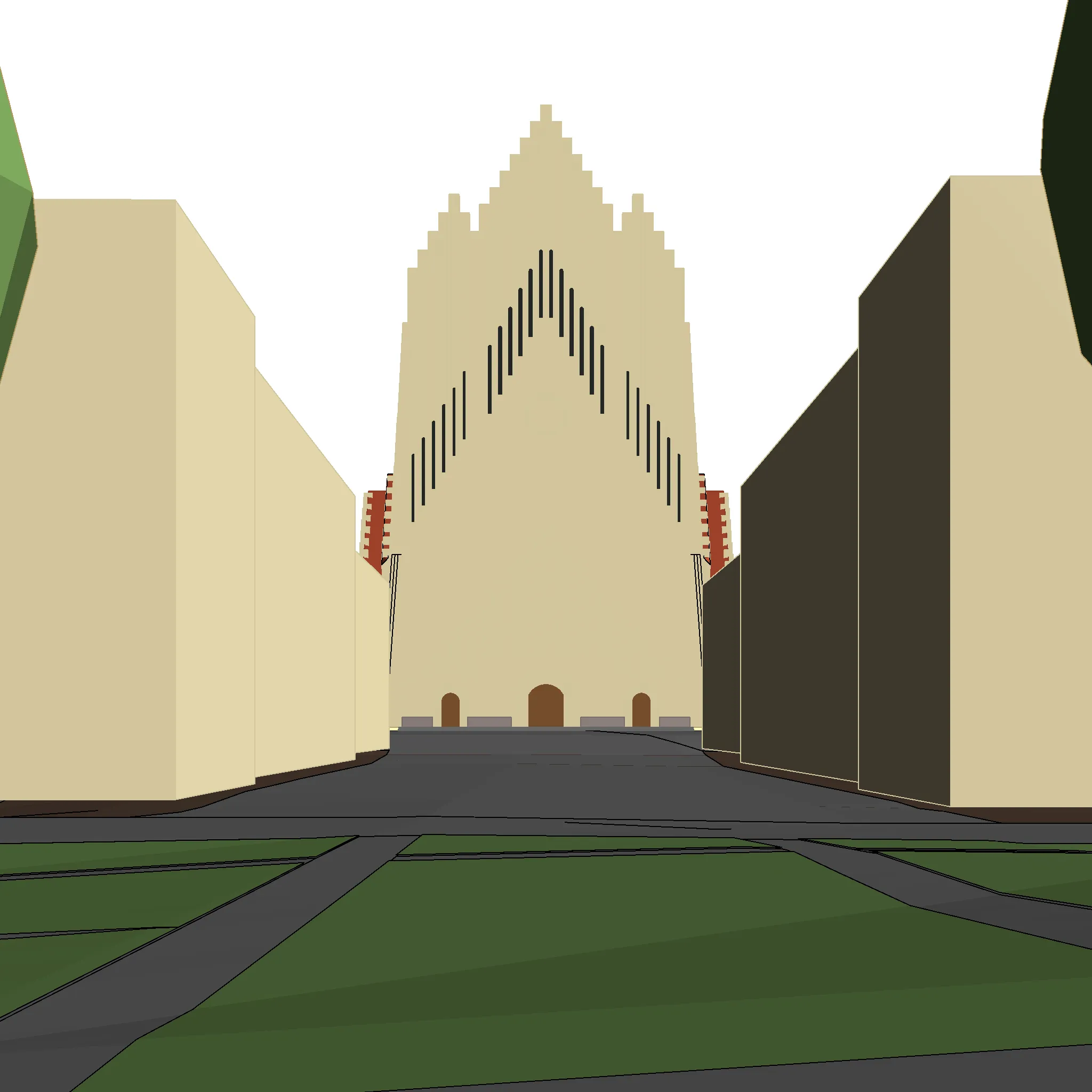
Tool chain
- Revit
- render_view
MCP calls, in order
- render_view
Provenance
| model | Google Nano Banana 2.1 (google/gemini-nano-banana-2.1), reference lane |
|---|---|
| cost | $0.069 (metered estimate) |
| time | 28 s |
| date | 2026-11-08 |
The prompt
Using the Archi Automate MCP, take the Revit view [GK LD - 01 West front classic 1-3 centred] as the reference image and render it with render_view on [Nano Banana 2.1], with this image prompt: Architectural visualisation in calm, matte daylight. A pale, hazy early-spring sky in soft warm white-grey with gentle, barely visible cloud mottling; no blue sky, no sunset and no sun disc in the sky. A low afternoon sun, softened by thin high haze, gives gentle, low-contrast raking light; shadows are soft and lifted, never black. A muted, warm-neutral palette with low saturation; highlights creamy, never clipped. Light aerial haze softens the distance. Surfaces read matte and quiet with a fine, even grain. A few small people in everyday clothes (three to six) walk on the paths and the forecourt in the middle distance, none closer than about 10 m to the camera, none looking at the camera. Calm, legible and hand-finished, like a quiet image printed on matte paper. Building: a large yellow-brick church in Copenhagen, its west front seen square-on from the street axis between two housing blocks. In view: the huge stepped west front, about 49 m tall, shaped like the pipes of an organ: tall vertical brick ribs rising in steps to a pointed stepped crown, with deep, dark, narrow vertical sound slots arranged in a large inverted V, and a round recessed oculus high in the middle; below it the lower porch front with its own stepped gable; at the foot three oak doors in stepped brick arches, the middle one larger, with low entrance steps. Beside the tower only thin strips of red tile roof show. On both sides, framing the street, uniform three-storey housing blocks of the same pale yellow brick with stepped gables and red tile roofs, simple regular windows; the left housing face is in light, the right housing face is in soft shade. Light: the sun is low, from the right and behind the camera, out of frame. The west front is fully lit at a raking angle from the right: every vertical rib and every step of the gable and the porch throws a short soft shadow to the left. The shadow of the right housing block lies across the right half of the street and the forecourt. Site: in the foreground a municipal lawn in muted early-spring green with straw tones, crossed by plain paved paths; then a quiet asphalt street and a paved forecourt in front of the church. Season and time: [10 March, mid-afternoon, early spring]; trees still bare. Materials: the church and the housing are pale yellow brick, a soft warm sand-yellow, matte, with fine light mortar joints, not orange, not white, not rendered. The sound slots are deep dark recesses. The doors are oiled oak. The roofs are red clay tile, muted. The very dark olive tone of the right housing block in the input is only shade, not dark brick: it is the same pale yellow brick in shade. The input is a simplified model. The two housing blocks are flat-topped placeholder masses: render them as the step-gabled yellow-brick housing with red tile roofs described above, in the same position and footprint, keeping the street between them open. The two green and dark shapes in the top-left and top-right corners are placeholder tree crowns: replace them with the bare, finely branched crowns of mature deciduous street trees entering the corners, at most the same size; do not keep their faceted outlines. Calm and restrained: no added effects, no leaves in the air, no birds, no cars, no benches or street furniture. Treat the input image as the exact geometry and camera. Keep every building element exactly where it is: outline, proportions, the number, spacing and thickness of columns, mullions and frames, floor and roof edges, openings, stairs and terraces. Keep the camera position, lens, horizon height and frame exactly as in the input. Do not add, remove, move, bend or resize any part of the building. Change only how materials, light, sky, vegetation, people and atmosphere look. Avoid: saturated blue sky, sunset or golden-hour colour, dramatic clouds, lens flare, HDR look, glossy CGI reflections, deep black shadows, vignetting, tilted or converging verticals, visible brush strokes, oil-paint or canvas-weave texture, people posing or looking at the camera, people close to the camera, cars in the foreground, text, logos or watermarks, sun disc or sun in the sky, cars, falling leaves or leaves in the air, birds, faceted or perfectly spherical tree crowns, a rose window or tracery in the oculus, people on the entrance steps.
Method notes
AI-generated visualisation. Not a photograph. Nano Banana 2.1 (Google) rendered this image through Archi Automate’s render_view from a Revit 3D view of a model built in Revit through the Archi Automate MCP, mostly by GPT-6.1-sol (OpenAI) running in Codex. The model was built from P. V. Jensen-Klint’s drawings in the Royal Danish Library, which the library marks free of copyright, with the terrain, the neighbouring buildings and the streets from open Danish map data. The view was exported from Revit and sent as it was. This prompt does not name the church: a version that did name it (below) moved further from the model’s outline. It was chosen from three renders of this view.
Added by the render, not in the model view: the housing blocks are plain masses in the model; the render gives them windows, stepped gables, red tile roofs and drainpipes. It adds a few people walking in the street and on the forecourt, which the prompt asked for (they are generated by the model and are not real people), bare street trees in place of the placeholder crowns, a road sign and small wall plaques with no readable text. It is a restyled view, composition guided by the model view, not a record of the model.
What it gets wrong. The model’s west front has one stepped outline; the render splits it into a taller central gable and two lower stepped side gables with vertical seams between them. It puts moulded rings round the oculus, which is a plain round recess in the model.
Variant A: the same input and model, with a prompt that names the church (Nano Banana 2.1, $0.065 metered estimate, 26 s). AI-generated. Warmer, softer light, but the front drifts further from the model, with the same split gables and ringed oculus, and the housing gains dormers and door details that are not in the model. Original PNG (9.4 MB) and render record.
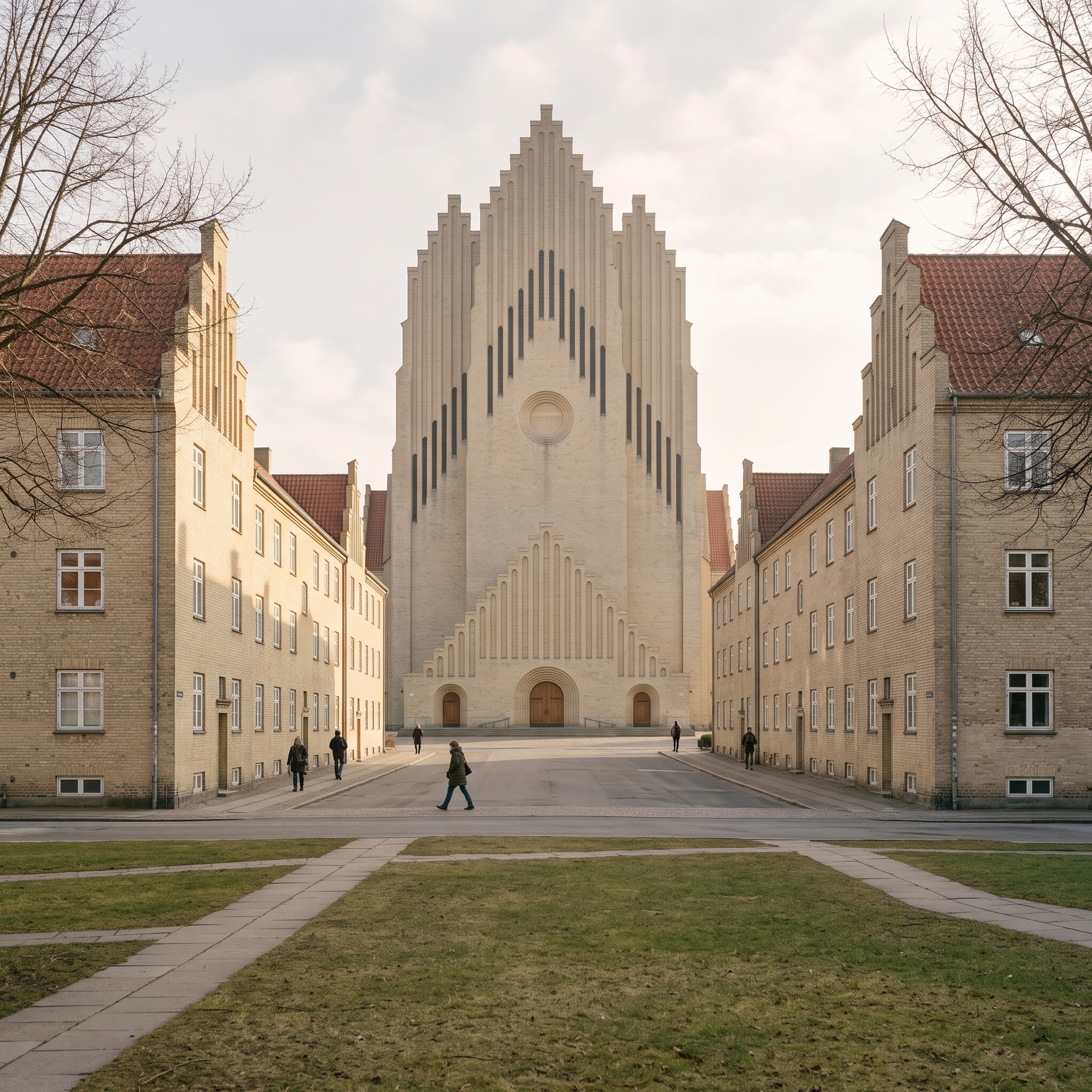
The images above are re-encoded for the web. The original PNG (10.0 MB) is the main render as saved by Archi Automate, unretouched, and the render record lists the model, prompt, input and cost. Google returns the image as a JPEG, which Archi Automate saves losslessly as PNG. The render record lists Google’s SynthID watermark, which sits in the pixels; we did not test for it, and it may not survive the web encoding.
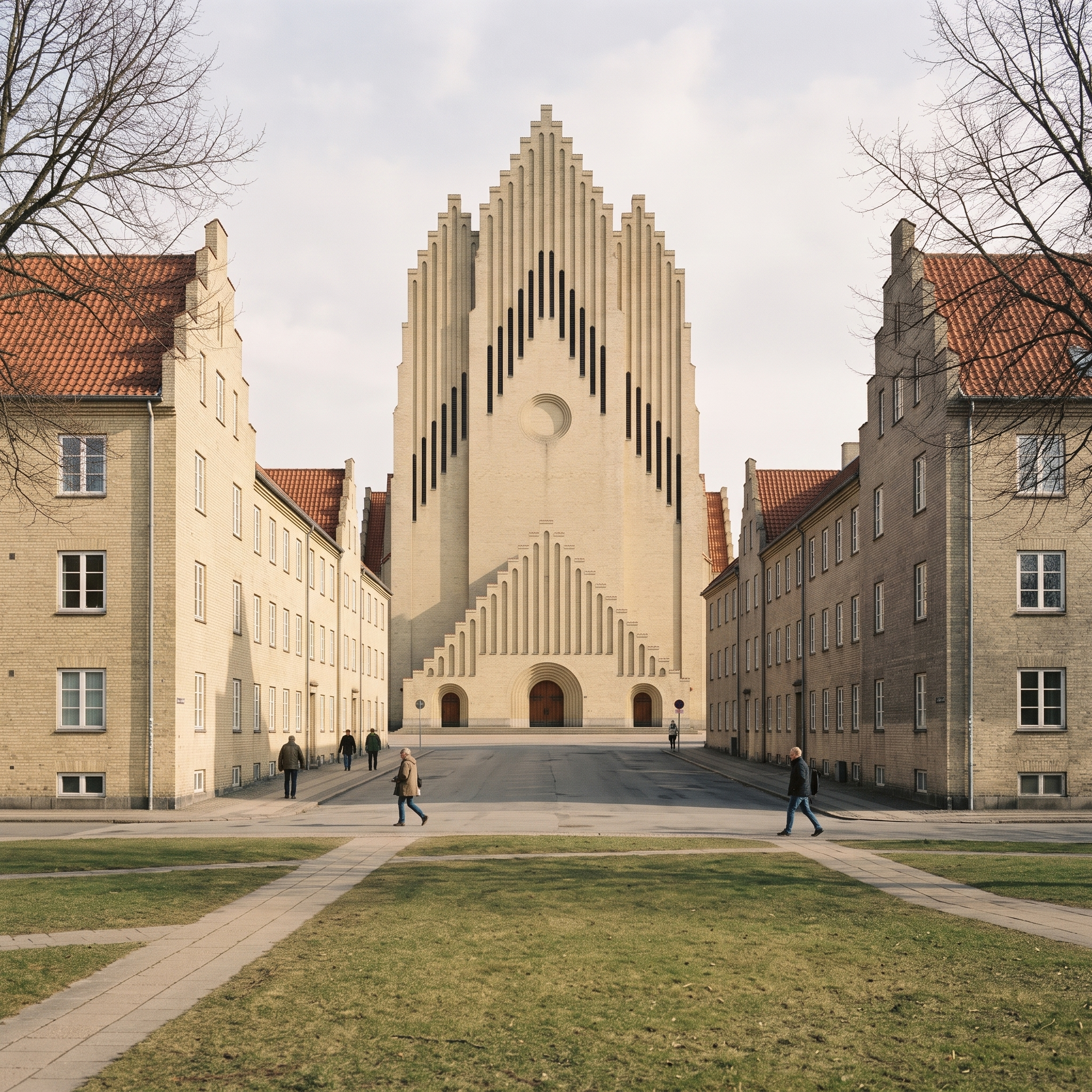
Grundtvig’s Church in Copenhagen was designed by P. V. Jensen-Klint and completed by Kaare Klint; both are in the public domain, and Danish copyright law (§ 24(3)) allows buildings to be depicted. This image is an independent study rendered from our own model; it is not endorsed by the church. Site data: Klimadatastyrelsen, Danmarks Højdemodel (CC BY 4.0); © GeoDanmark (CC BY 4.0); Københavns Kommune.
Windows · 14-day free trial · no credit card. Install, connect your assistant, paste the prompt. Replace bracketed values with your own.
More in AI renders
View category ↗ AI-generated
Grundtvig's Church, Nave
 AI-generated
Queen's House, South-East Oblique
 AI-generated